


-26%
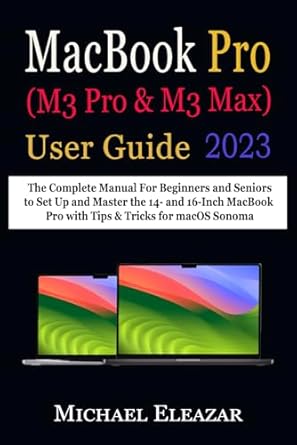
MACBOOK PRO (M3 Pro & M3 Max) USER GUIDE: The Complete Manual For Beginners and Seniors to Set Up and Master the 14- and 16-Inch MacBook Pro with Tips & Tricks for macOS Sonoma
$23.34 Save:$8.00(26%)
Available in stock
| Print length: | 179 pages |
|---|---|
| Language: | English |
| Publication date: | 2 November 2023 |
| Dimensions: | 15.24 x 1.04 x 22.86 cm |
| ISBN-13: | 979-8866312467 |
People Also Viewed



Additional information
| Format | Paperback |
|---|
Description
This USER MANUAL presents simple and clear instructions on effectively setting up and using your new MacBook Pro with M3 Pro or M3 Max chip. The newly released 14- and 16-inch MacBook Pro is rife with technological innovations and runs the latest macOS Sonoma. If you are new to Mac , you will find this tutorial helpful in getting started with the setup, familiarizing yourself with your new Mac desktop, and progressing to the advanced level. Also, if you are already familiar with Mac , this manual will help you to understand the new environment of macOS Sonoma and the sophisticated but needed operations of this system. You will undoubtedly find this guide unique and indispensable in setting up and configuring your Mac. It has tutorial illustrations with accompanying descriptions, making each step in accomplishing a task easy to understand. To get started, click the BUY NOW button to unlock the gems hidden in your new MacBook Pro. Here is a preview of the topics covered: Become Familiar With The Desktop What’s In The Mac’s Menu Bar? Use Mac Spotlight To Search How to Use Mac Control Center How To Use Mac’s Notification Centre How To Connect To The Internet How To Browse With Safari Viewing And Editing Files With Quick Look How To Take Screen Captures Or Screenshots How To Adjust The Volume How To Use The Trackpad And Mouse Motions How To Print Documents On Mac How To Use The Keyboard Shortcuts How to Create A Focus On Mac How To Create Your Own Screen Time How To Dictate Text On Mac How to Send An Email Using Mac Mail How To Make And Receive FaceTime Video Calls How To Edit Photos On A Mac How To Use Live Text In Photos To Interact With Text How To Create Quick Notes How To Create And Manage Documents How To Combine Documents Into A PDF How To Use Mac Desktop Stacking How To Arrange Files In Folders How To Use Tags To Manage Files How to Back Up Files Using Time Machine How To Restore Backed Up Files Using Time Machine How To Personalize Your Mac Using System Settings How To Personalize Your Mac’s Background Image How To Add And Modify Widgets How To Utilize A Mac Screen Saver How To Use Your Mac Internet Accounts How To Alter Your Login Image Find Mac Shortcut In The Gallery How To Enlarge Text And Other Elements On The Screen How To Use Apple Devices Together How To Use Continuity On Mac How To Use Your Device As A Webcam How To Control Both Mac and iPad With A Single Keyboard And Mouse How To Use Apple Watch To Authorize Requests And Unlock Your Mac How To Use FaceTime On Mac To Make And Receive Phone Calls How To Use FaceTime On Mac To Place And Receive RTT Calls Content Syncing Between The Mac And iPod Touch, iPad, or iPhone And More — ISBN13: 9798866312467
Reviews (0)
Only logged in customers who have purchased this product may leave a review.






Reviews
There are no reviews yet.