

Your bag is empty
Don't miss out on great deals! Start shopping or Sign in to view products added.
Shop What's New Sign in$52.46 Save:$19.00(27%)
Available in stock
| ISBN-13: | 979-8393570460 |
|---|---|
| Publication date: | 11 May 2023 |
| Language: | English |
| Dimensions: | 21.59 x 0.99 x 27.94 cm |
| Print length: | 165 pages |
| Format | Paperback |
|---|
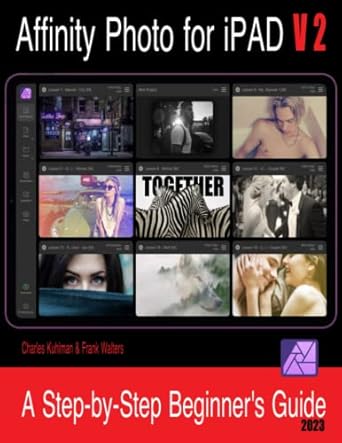
Are you new to Affinity Photo and you own an iPad? If so, then this book is for you. Learn Affinity Photo for iPad – V2 was specficially written for total beginners of this market leading photo editing software. This book will teach you how to use the second versio n of this app. Written in a non-formal and conversational writing style, this book will guide you through the first 10 skills all beginners need to learn in order to feel comfortable using this excellent software. Once you’ve learnt the basics, we walk you through 20 step-by-step lessons teaching you the most asked for special effects in Affinity Photo. The First 10 Skills 1. How Affinity Photo is Designed for Use 2. How to Crop Images 3. How to Remove Objects & Imperfections from a Photo 4. How to Make Selections 5. How to Use the Adjustment Layers 6. How to Use Mask Layers 7. How to Add Text to an Image 8. How to Change the Background of a Photo 9. How to Create a Vignette – Two Methods 10. How to Save, Export and Share Your Work 20 Step-by-Step Lessons Lesson 1: How to Create & Use LUTs Lesson 2: How to Change the Color of Anything Lesson 3: How to Make Blurred Backgrounds Lesson 4: How to Create a Frame Around a Photo Lesson 5: How to Swap Backgrounds Lesson 6: How to Create a Color Splash Effect Lesson 7: How to Increase Lighting Naturally Lesson 8: How to Apply a Gradient Effect Lesson 9: How to Apply a Nashville Filter to an Image Lesson 10: How to Create a Glitch Effect Lesson 11: How to Place Text Behind Your Subject Lesson 12: How to Create a Vintage Effect Lesson 13: How to Increase Resolution Lesson 14: How to Brighten a Portrait Lesson 15: How to Create a Colored Pencil Sketch Effect Lesson 16: How to Create a Double Exposure Effect Lesson 17: How to Create Talking Guinea Pigs Lesson 18: How to Create a Light Leak Effect Lesson 19: How to Sharpen Portraits Lesson 20: How to Create a High-Speed Effect Email us and we’ll send you the image folder for this book We are here for you and offer on-going customer support for all of our books. If you ever need help while going through one of our books, we are only a quick email away. Find our email address on the Copyrights page of the book. —- ISBN: 9798393570460 | ISBN10: B0C4WZGJSG | ISBN-13: 979-8393570460
Only logged in customers who have purchased this product may leave a review.







Reviews
There are no reviews yet.